

pnpm ERR_PNPM_LOCKFILE_CONFIG_MISMATCH: Fix Catalogs in Docker
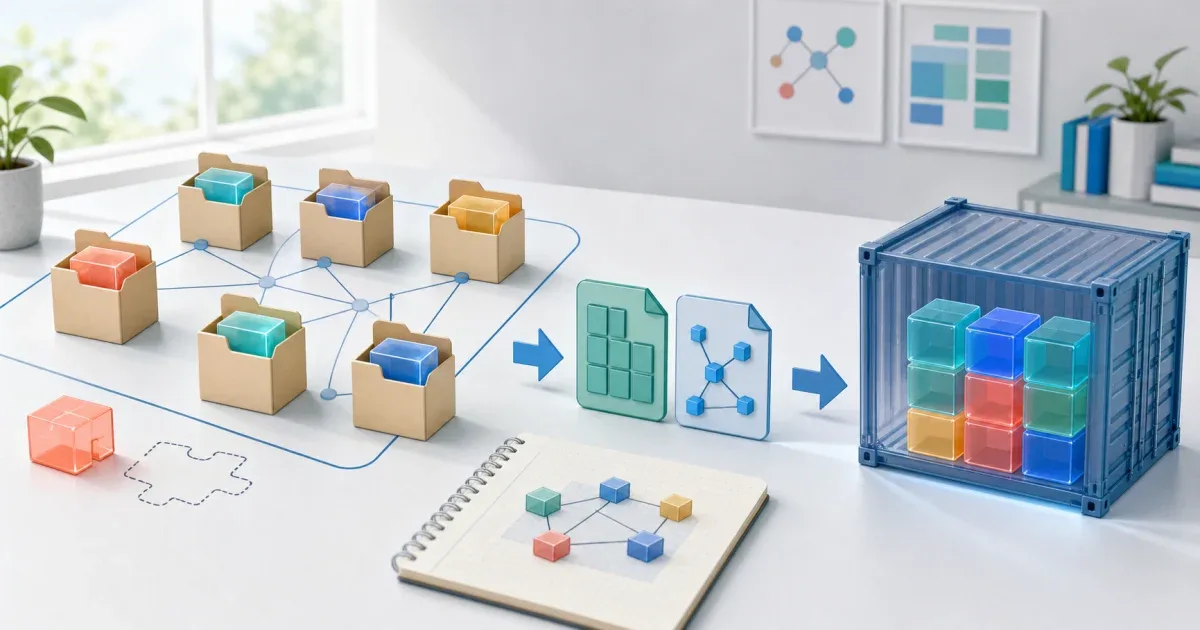
When a Docker build reports ERR_PNPM_LOCKFILE_CONFIG_MISMATCH and mentions catalogs, the lockfile and the install context do not describe the same pnpm workspace. A common shape is a monorepo lockfile copied into a production stage with package.json and pnpm-lock.yaml, but without pnpm-workspace.yaml. pnpm cannot compare the lockfile’s catalog configuration with the missing workspace configuration, so pnpm install --frozen-lockfile stops.
The repair is to preserve the workspace context during the install stage or use pnpm deploy to create a portable package from the workspace. Removing the error with an unfrozen production install hides the mismatch instead of fixing the artifact boundary.
Confirm that the Docker context lost the workspace file
Catalogs are defined in pnpm-workspace.yaml and referenced from package manifests with the catalog: protocol. Check the files that actually reach the failing layer:
pnpm --versiontest -f pnpm-workspace.yaml && echo 'workspace config present' || echo 'workspace config missing'rg -n '^(catalog|catalogs):' pnpm-workspace.yaml pnpm-lock.yamlpnpm install --frozen-lockfileThe error is especially easy to reproduce when a pruning step copies only the root manifest and lockfile into a new directory. The official pnpm issue #10551 records this exact production-build shape for pnpm 10.24.0 and later. The version matters when comparing logs, but the underlying check is the same: a lockfile containing catalog information is being installed without the workspace configuration that defined it.
Do not hand-edit pnpm-lock.yaml to remove catalogs:. The lockfile is a generated record, and deleting part of it can leave the resolved importers inconsistent with the manifests that use catalog:.
Keep the workspace intact during the install stage
If the image is built from the monorepo, let the install stage see the workspace file and the package manifests described by it:
FROM node:22-slim AS build
WORKDIR /appRUN corepack enable
COPY package.json pnpm-lock.yaml pnpm-workspace.yaml ./COPY packages ./packages
RUN pnpm install --frozen-lockfileRUN pnpm run -r buildThe important part is not the exact base image. It is that pnpm-workspace.yaml, every workspace manifest needed by the lockfile, and the same pnpm major version are present before the frozen install. If your workspace uses a different package glob, copy that directory structure rather than copying only one application package.
The pnpm Docker guide shows the same boundary in its monorepo recipe: the build context contains both pnpm-lock.yaml and pnpm-workspace.yaml before pnpm install --frozen-lockfile runs. Keep the cache optimization after the file set is correct; a fast failure is still a failure.
Use pnpm deploy for a portable production stage
When the final image should contain one workspace package and only its production dependencies, build and deploy from the intact workspace first:
FROM node:22-slim AS build
WORKDIR /appRUN corepack enableCOPY . .
RUN pnpm install --frozen-lockfileRUN pnpm run -r buildRUN pnpm --filter=web --prod deploy /prod/web
FROM node:22-slim AS runtimeWORKDIR /appENV NODE_ENV=productionCOPY --from=build /prod/web ./CMD ["pnpm", "start"]pnpm deploy creates an isolated node_modules directory and a portable target directory from a workspace package. The final stage should copy the generated deploy directory, not reconstruct a partial workspace by guessing which lockfile fields are safe to drop.
Check the pnpm version before copying this pattern into a Docker build. The deploy behavior changed in pnpm 12.2.0:
| pnpm version or condition | Deploy choice |
|---|---|
| Before 12.2.0 | Enable injectWorkspacePackages: true before using the default deploy implementation. |
| 12.2.0 and later | The default deploy implementation no longer requires injectWorkspacePackages; it rewrites linked workspace dependencies into the deploy lockfile. |
| The deployed graph has ambiguous peer versions | Pin the peer with overrides, or enable injectWorkspacePackages as the pnpm documentation describes. |
If you intentionally need the older implementation, use --legacy or the documented forceLegacyDeploy setting. Pin the pnpm major and verify the deploy output rather than assuming that a Docker base image’s latest pnpm behaves like the version that generated the original lockfile.
This pattern also separates the two jobs in a multi-stage image: the build stage needs the complete workspace, while the runtime stage receives the already-pruned package. It avoids asking a standalone production directory to interpret catalog definitions that no longer exist there.
Avoid the tempting unfrozen-install workaround
pnpm install --no-frozen-lockfile may regenerate state in a disposable directory, but it changes the guarantee that the committed lockfile is the install input. Do not use it as the normal production fix just because the Docker layer is missing pnpm-workspace.yaml.
If the target really is a standalone project, make that conversion explicit: replace catalog references with concrete dependency ranges in the generated manifest, create a lockfile for that standalone context, and review the result. If the target is still a workspace package, preserve the workspace or use pnpm deploy; do not silently resolve a different dependency graph during the image build.
The diagnostic rule is: a catalog-aware lockfile must be paired with the workspace configuration that defines the catalogs. In Docker, keep that pair together until pnpm has finished resolving dependencies, then copy a self-contained deployment artifact into the final image.
FAQ
Q: Why does pnpm mention catalogs when package.json looks correct?
A: Catalogs are defined in pnpm-workspace.yaml, while the resolved catalog information is also recorded in the lockfile. A Docker stage that keeps only package.json and pnpm-lock.yaml can therefore present an incomplete configuration even when the manifest itself has not changed.
Q: Can I delete the catalogs section from pnpm-lock.yaml?
A: Do not edit generated lockfile sections by hand. Restore the workspace file and regenerate the lockfile through pnpm, or produce a standalone deployment directory with pnpm deploy so the final stage no longer needs to interpret the original workspace.
Q: Does pnpm deploy require a workspace?
A: Yes. It deploys a package from a workspace. Run it in the complete build stage, then copy its portable target directory into the runtime image. With pnpm 12.2.0 and later, injectWorkspacePackages is not required by the default implementation, but ambiguous peer versions can still require an overrides decision or that setting.
References: