

GitHub Actions artifact attestations 實作:替 release artifact 補 provenance
本文目錄
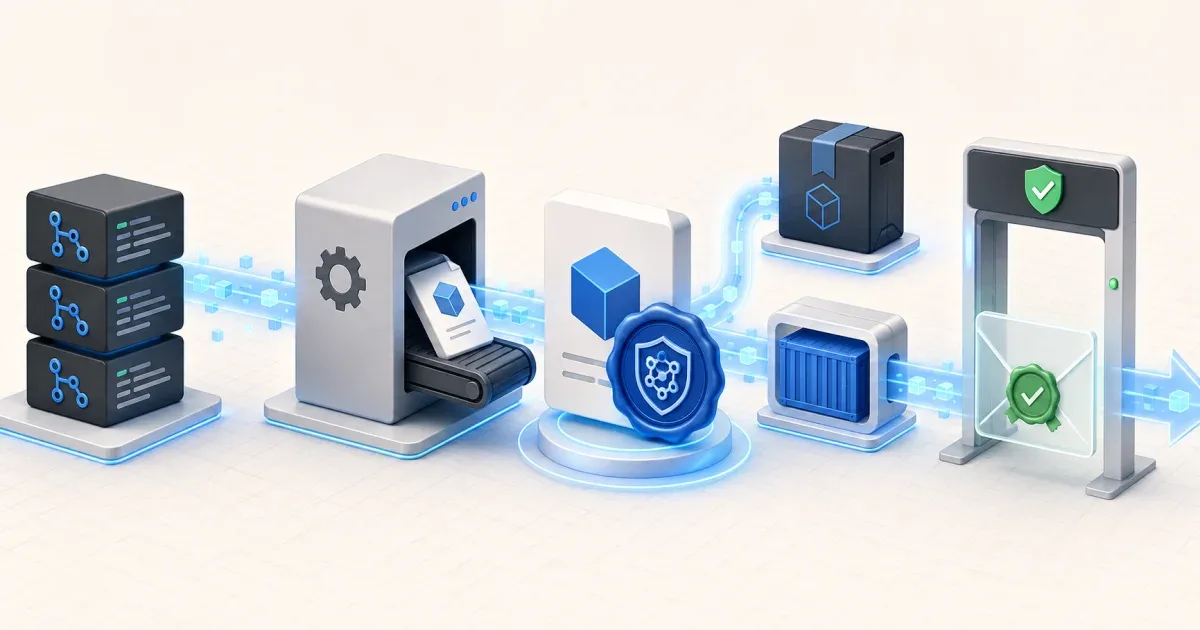
如果 release 只提供一個 SHA-256 checksum,使用者能知道檔案下載後有沒有被改過,卻不一定知道它是由哪個 repository、哪個 commit、哪個 workflow 建出的。GitHub Actions artifact attestations 要補上的就是這段 build provenance。
Attestation 會把 artifact 和 workflow、repository、organization、environment、commit 與觸發事件等 metadata 綁在一起。它不是「artifact 一定安全」的保證,而是讓消費者可以驗證來源與產生流程。
本文以兩種常見目標示範:
- release binary:用 subject-path 指向已建好的檔案。
- container image:用 subject-name、subject-digest 與 push-to-registry,讓 attestation 對應到 registry 中的 digest。
先確認 repository 與方案條件
GitHub 目前說明所有現行方案都可使用 artifact attestations,但 Free、Pro、Team 方案限 public repository;private 或 internal repository 則需要 Enterprise Cloud。若你的 release repository 是 private,先確認 billing plan,否則 workflow YAML 正確也可能無法完成。
另外,attestation 應優先放在 release artifact、正式 container image 或 SBOM,不必替每次測試輸出都簽一份。這樣 provenance 會集中在真正要交付給其他人的檔案。
Binary artifact:最小可用 workflow
以下範例假設 build job 已經把檔案輸出到 dist/hello-linux-amd64。關鍵是 job 或 workflow 層級的 OIDC、contents 與 attestations 權限:
name: Build and attest release
on: push: tags: - 'v*'
permissions: id-token: write contents: read attestations: write
jobs: release: runs-on: ubuntu-latest steps: - uses: actions/checkout@v4
- name: Build run: | mkdir -p dist go build -o dist/hello-linux-amd64 ./cmd/hello
- name: Attest binary uses: actions/attest@v4 with: subject-path: dist/hello-linux-amd64權限的意義分開看:
- id-token: write:讓 attestation action 取得 OIDC token。
- contents: read:讓 workflow checkout repository。
- attestations: write:允許建立 attestation。
不要把這段權限刪掉後只提高 GITHUB_TOKEN 的廣泛權限。要是 build 和 release 分成不同 jobs,可以把最小權限放在真正產生 attestation 的 job,縮小 token 作用範圍。
Container image:用 digest 對應實際映像
容器映像不要用可變的 tag 當 provenance subject。先用 docker/build-push-action 建置並 push,再把 action 輸出的 digest 傳給 actions/attest:
permissions: id-token: write contents: read packages: write attestations: write
steps: - uses: actions/checkout@v4
- name: Log in to GHCR uses: docker/login-action@v3 with: registry: ghcr.io username: ${{ github.actor }} password: ${{ secrets.GITHUB_TOKEN }}
- name: Build and push id: image uses: docker/build-push-action@v6 with: context: . push: true tags: ghcr.io/OWNER/IMAGE:${{ github.ref_name }}
- name: Attest container image uses: actions/attest@v4 with: subject-name: ghcr.io/OWNER/IMAGE subject-digest: ${{ steps.image.outputs.digest }} push-to-registry: true這裡的 subject-name 要是完整 image name,不要附 tag;subject-digest 則應使用 build-push-action 回傳的 sha256 digest。packages: write 是推送 GHCR 映像時需要的權限,不能拿 tag 取代 digest。
如果要在 registry 頁面查看與映像關聯的 attestation,請依 GitHub 文件確認 repository 的 artifact metadata 權限與 package visibility。先把「建置 digest」「建立 attestation」「推送 attestation」三步記在 log,排錯時才知道是哪一段失敗。
在 CI 外驗證 provenance
Binary release 上傳後,可用 GitHub CLI 驗證檔案:
gh attestation verify dist/hello-linux-amd64 -R OWNER/REPOContainer image 則用 registry reference 加 digest:
gh attestation verify oci://ghcr.io/OWNER/IMAGE@sha256:REPLACE_WITH_DIGEST -R OWNER/REPO驗證時使用的 repository 應是產生 attestation 的 repository。若是 fork、鏡像或重新打包後的檔案,來源 predicate 不會因為檔名相同就自動成立。
把驗證放進 release consumer 的流程時,建議同時檢查:
- subject digest 是否與你要部署的映像完全一致。
- attestation 的 repository、workflow 與 commit 是否符合允許清單。
- tag 與 commit 的關係是否符合 release policy。
- 驗證失敗時是否停止部署,而不是只記錄 warning。
Attestation 能回答「這個檔案是否由我允許的 workflow 產生」,但它不會替你判斷 dependency、原始碼或 build script 本身是否沒有漏洞。
和 workflow_run 權限隔離一起使用
若你的 release workflow 透過 workflow_run 觸發,仍要小心權限提升與不可信 artifact。attestation 應在受信任的 release workflow 中重新建立或驗證,不要讓來自 pull request 的任意腳本直接取得 production 發布權限。可以搭配GitHub Actions workflow_run 的 artifact 與權限隔離整理一起檢查。
實際上可以採用兩層流程:
- pull request:只做測試與 lint,不建立可發布的 attestation。
- tag release:在受保護的 branch 或 environment 上 build、attest、verify,再進行發布。
這樣 provenance 不只是「有簽名」,還能和 repository 的分支保護、environment approval 與 release trigger 對得上。
上線前的檢查清單
- 先確認 public、private 或 internal repository 對應的方案資格。
- 用正式 release 檔案或 immutable container digest 當 subject。
- 只授予 id-token、contents、attestations,以及實際推送映像所需的 packages 權限。
- 將 attestation 建立放在受信任的 workflow 或 job。
- 在另一個乾淨環境用 gh attestation verify 實際驗證。
- 把允許的 workflow、repository、branch、environment 與 commit 條件寫入部署規則。
- 讓驗證失敗成為阻擋條件,而不是不影響流程的提示。
常見問題
Q: Attestation 和 checksum 有什麼不同?
A: Checksum 主要確認檔案內容是否改變;attestation 額外提供 build provenance,讓你驗證檔案與 repository、workflow、commit 等來源資訊的關係。正式 release 通常兩者都保留。
Q: 為什麼 subject-digest 不能直接使用 image tag?
A: Tag 可能被重新指向另一個 digest。用 digest 建立與驗證,才能把 attestation 綁定到實際要部署的映像內容。
Q: Free repository 可以使用 artifact attestations 嗎?
A: GitHub 目前說明現行方案都支援,但 Free、Pro、Team 方案限 public repository;private 或 internal repository 需要 Enterprise Cloud。
參考資料: