

actions/checkout Fork PR Fails: Handle pull_request_target Safely
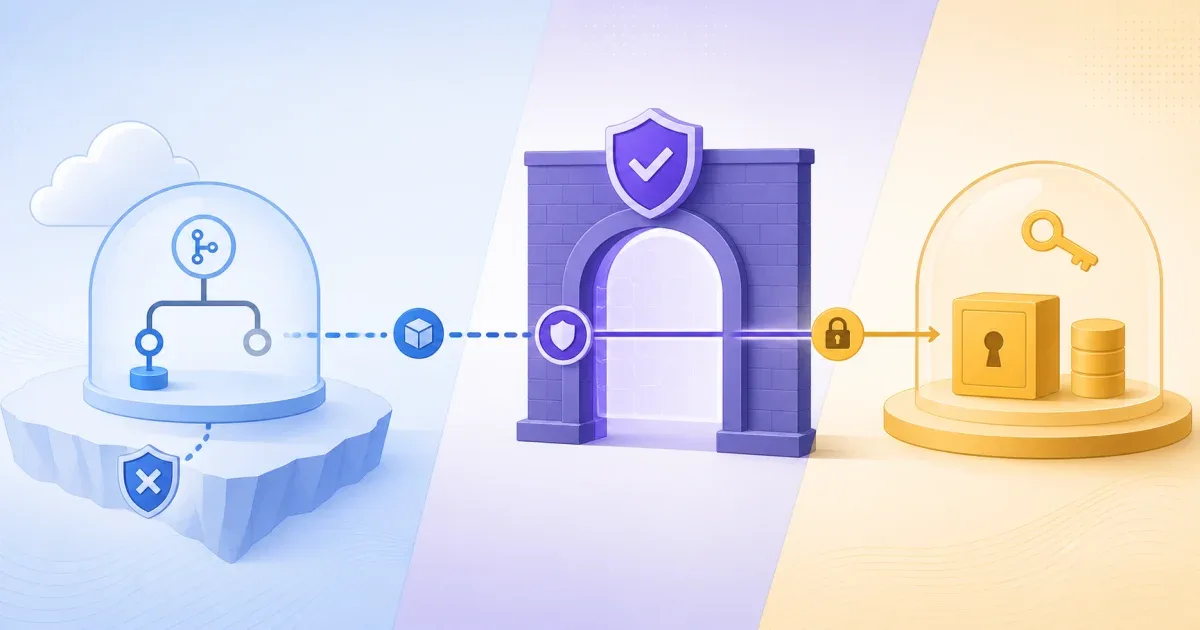
If actions/checkout now refuses to check out a fork pull request, first identify the workflow trigger, fork origin, and checkout ref. The current guard targets fork pull-request head or merge checkouts from pull_request_target and from workflow_run jobs whose triggering event is a pull_request* event. Same-repository pull requests and the pull_request event are unchanged. These privileged workflows run with the base repository’s token, secrets, cache scope, and runner access.
The safe fix is usually to use pull_request for build and test jobs that do not need secrets. If a privileged workflow only needs pull request metadata, remove the checkout entirely. Only opt into allow-unsafe-pr-checkout: true after proving that the checked-out files are treated as data and never executed in that privileged job.
Separate the two workflow trust models
These triggers are not interchangeable:
| Trigger | Workflow source and token boundary | Suitable default |
|---|---|---|
pull_request | Runs the pull request workflow with fork protections, a read-only token, and no ordinary repository secrets | Build and test untrusted changes |
pull_request_target | Runs trusted workflow code from the base repository with elevated token and secret access | Label, comment, or inspect metadata without executing fork code |
workflow_run | Runs after another workflow and can receive privileged access; downloaded artifacts may still be untrusted | Separate trusted actions from untrusted results |
The GitHub secure-use guidance explains why pull_request_target exists and where it becomes dangerous. The event is not automatically unsafe; checking out and executing unreviewed fork code in that context is the dangerous combination.
Confirm that the new guard applies
The refusal is narrower than “a fork pull request used checkout.” Classify the workflow before changing its trigger or adding an opt-in:
| Workflow and checkout condition | Guard result | Next decision |
|---|---|---|
Fork pull request with pull_request_target, where repository: resolves to the fork or ref: resolves to its head or merge commit | Refused by default | Use pull_request for untrusted build and test work, or remove checkout from a privileged metadata job |
Fork pull request with workflow_run whose workflow_run.event is a pull_request* event and the checkout resolves to the fork | Refused by default | Separate the privileged follow-up from the untrusted result, then validate any artifact before use |
Same-repository pull request, or a pull_request workflow | This checkout guard does not change the behavior | Keep the event that matches the job’s trust and secret requirements |
pull_request_target checkout without a fork ref | The workflow and default checkout come from the base repository’s default branch | Do not add a fork ref unless the files will remain inert and the exception is reviewed |
The June 2026 GitHub changelog lists the blocked shapes as a fork repository:, a pull-request head or merge ref, or the corresponding head or merge commit SHA. It also documents the version-pin boundary: checkout@v7 includes the protection, floating major tags can receive the backport, and references pinned to a specific SHA, minor, or patch version need an explicit upgrade. If two repositories show different results for the same YAML, compare the complete action reference before changing the workflow.
Use pull_request for ordinary CI
If the job only needs to compile or test the submitted change, use the lower-privilege event:
name: Test pull request
on: pull_request:
permissions: contents: read
jobs: test: runs-on: ubuntu-latest steps: - uses: actions/checkout@v7 - run: npm ci - run: npm testThe workflow still executes code from the pull request, so it must not receive long-lived secrets or run on a persistent self-hosted runner with access to private infrastructure. The point is that the trigger’s default token and secret boundary is designed for untrusted pull request code.
If the project uses pnpm, replace the install command with the repository’s pinned package-manager flow. The GitHub Actions cache warning guide covers why an untrusted trigger may restore a cache but cannot save to a protected cache scope; that warning is separate from checkout refusal.
Use pull_request_target for metadata-only work
Many privileged jobs do not need the repository files at all. A labeler, triage workflow, or comment bot can use the event payload and GitHub API without running a checkout step:
name: Label pull requests
on: pull_request_target: types: [opened, synchronize, reopened]
permissions: pull-requests: write contents: read
jobs: label: runs-on: ubuntu-latest steps: - name: Operate on pull request metadata run: echo "Use the event payload or GitHub API; do not execute PR files."The shell step is only a placeholder for a narrowly scoped API operation. Use an action or API client that you have reviewed, keep the token permissions minimal, and do not add npm install, npm test, make, or any command that can load files from a pull request.
This pattern keeps the privileged job from creating a “pwn request.” GitHub’s June 2026 changelog calls out this failure mode and the rollout to supported checkout versions.
Understand the new checkout refusal
The current actions/checkout README documents allow-unsafe-pr-checkout as an explicit opt-in. A workflow can fail when it contains a ref such as:
- uses: actions/checkout@v7 with: ref: ${{ github.event.pull_request.head.sha }}The checkout step itself does not execute the fork’s code. The danger begins when a later step runs a Makefile, package script, test command, build hook, configuration file, or dependency from that checkout. Treat a checkout refusal as a security boundary that deserves a workflow redesign, not as a missing YAML flag.
If the job does not need the fork’s files, remove the ref and the checkout. If it needs to test the change, move that work to pull_request or split the workflow into unprivileged and privileged jobs with a clear artifact contract.
If you must inspect a fork, keep it inert
There are narrow cases where a privileged workflow needs to read a pull request’s files without executing them. For example, a policy checker may inspect text or a diff. In that case, make the risk visible and isolate the checkout path:
- uses: actions/checkout@v7 with: ref: ${{ github.event.pull_request.head.sha }} path: pr-source allow-unsafe-pr-checkout: true
- name: Inspect text only run: git -C pr-source diff --checkThis is not a safe build template. Do not run package managers, compilers, test runners, shell scripts, Docker builds, or language tooling that loads project configuration from pr-source. Do not use a self-hosted runner that can reach internal services. Review the exact permissions and the code path before enabling the opt-in.
GitHub’s guidance says the opt-in is appropriate only after you confirm that the checkout is not executed. The input also does not protect other ways of fetching untrusted code, such as git fetch, gh pr checkout, or downloading an artifact produced by a fork workflow.
Split secret-dependent tests from untrusted tests
If a test really needs a private registry or deployment credential, separate the concerns:
- Run normal compilation and tests from
pull_requestwith no secrets. - Produce only the data the privileged step needs.
- Review how that data crosses the trust boundary.
- Run the smallest trusted operation in
pull_request_targetor a carefully designed follow-up. - Keep artifacts from fork-triggered workflows untrusted until their contents are validated.
Do not “fix” the refusal by moving the entire test job to pull_request_target. That grants a privileged context to every command in the job, including commands introduced by the pull request.
If the only error after changing the trigger is a Node24 runner message, that is a separate runtime issue. actions/checkout v5 and Node24 covers the action-runtime and runner-version boundary; this article covers which pull request code the privileged job is allowed to fetch and execute.
Verify the workflow at the trust boundary
Before merging a change, inspect the rendered workflow and answer:
- Which event supplies the workflow file?
- Which repository and ref does checkout fetch?
- Does any later command execute files from that checkout?
- Which token permissions and secrets are available to those commands?
- Is the runner ephemeral and isolated from private infrastructure?
Test both a same-repository pull request and a fork pull request. Confirm that ordinary CI still reports results, that the privileged metadata job does not check out source, and that a deliberately unsafe checkout fails closed until a reviewer approves the explicit opt-in.
The practical rule is to choose the trigger from the code’s trust level. Use pull_request for untrusted builds, keep pull_request_target metadata-only when possible, and treat allow-unsafe-pr-checkout as a reviewed exception rather than a generic compatibility switch.
FAQ
Q: Why did actions/checkout start refusing my fork pull request?
A: The checkout action now blocks common fork pull request checkouts from privileged pull_request_target and workflow_run jobs by default. Those jobs have access to the base repository’s token and secrets, so executing fork code there can create a supply-chain compromise.
Q: Should I add allow-unsafe-pr-checkout: true?
A: Only if the job has a documented reason to fetch the fork and you have proved that the checked-out files are never executed. For ordinary tests, use pull_request; for labeling or comments, remove checkout.
Q: Is pull_request_target safe for fork pull requests?
A: It can be safe for trusted, metadata-only workflow code, but it is a high-privilege context. Do not check out and run unreviewed fork files in it, and restrict token permissions and secrets to the smallest required set.
Q: Does checkout refusal mean the checkout action is broken?
A: No. The refusal is an intentional guard for a risky trust boundary. Check the event, ref, action version, and later commands before deciding whether the workflow needs a redesign or a narrowly reviewed opt-in.
References:
GitHub Docs: Securely using pull_request_target