

GitHub Actions Self-Hosted Runner Minimum Version: Check 2.329.0
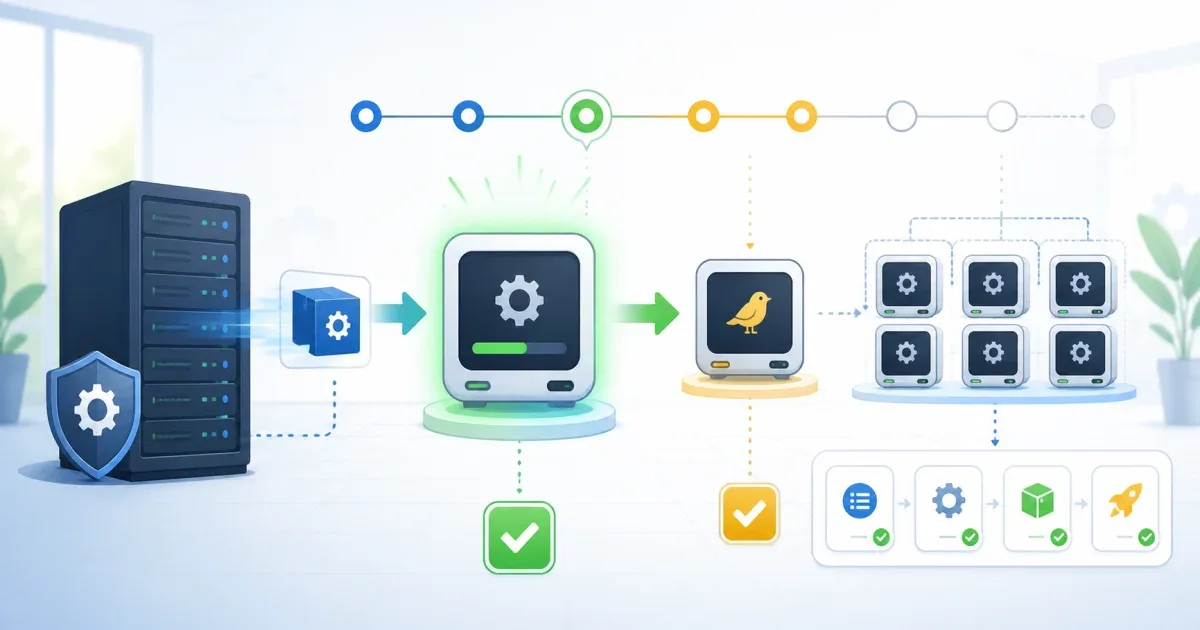
GitHub Actions self-hosted runners have two version boundaries to satisfy. Runner v2.329.0 is the minimum called out for registration or re-registration in the affected GitHub products, while job execution also requires the runner to keep receiving releases within GitHub’s update window. Installing v2.329.0 once and pinning it forever is not a complete fix.
The current enforcement timeline matters for Enterprise Cloud: GitHub lists brownouts beginning August 24, 2026 and full enforcement on September 25, 2026. GitHub Enterprise Cloud with Data Residency has a separate timeline, and GitHub Enterprise Server is not covered by that announcement. Confirm which product owns each runner before choosing a deadline.
Separate registration from job execution
| Boundary | Current rule in GitHub’s timeline | Failure you may see |
|---|---|---|
| Registration | The runner must be v2.329.0 or later to configure or re-register in the affected product cohorts | A new runner cannot register or an old runner cannot re-register |
| Ongoing execution | The runner must install each new release within 30 days; critical updates can pause queueing sooner | Existing jobs stay queued or the runner stops accepting work |
| Action runtime | An individual action can require its own runner version, such as the Node24 floor documented by checkout@v5 | The workflow starts but an action runtime is unsupported |
The third row is why this article is not the same as a Node24 action failure. The Node24 self-hosted runner guide covers action runtime and host compatibility. This article is about GitHub’s runner fleet enforcement and update policy.
Inventory every runner that can receive production jobs
Start with the repository, organization, or enterprise scope that owns the runner. For a repository runner, the REST API can expose the version and labels:
gh api --paginate repos/OWNER/REPO/actions/runners \ --jq '.runners[] | [.name, .version, .os, .status, .busy, (.labels | map(.name) | join(","))] | @tsv'The API response is scope-specific. Querying a repository does not inventory an organization or enterprise runner group, and a permission error does not prove that all runners are current. Also inspect the runner settings page and the image or service definition that creates the machine.
For each production-capable runner, record:
- installed runner version and the version returned by the API;
- operating system, architecture, labels, and runner group;
- whether automatic updates are enabled;
- whether the runner is a long-lived host, container image, or ephemeral instance;
- the workflow labels that can route builds to it;
- the last successful update and the outbound access required to reach GitHub.
Pay special attention to immutable images. An ephemeral runner can start with an old binary on every scale-out even when a long-lived runner on the same label updates correctly.
Upgrade with a canary runner first
A safe rollout keeps a path back to a known runner without silently routing production jobs to an old version:
- Build or download the current runner package for the host OS and architecture.
- Start one canary runner in the same runner group with a temporary label.
- Run a small workflow that checks checkout, cache, artifacts, containers, and the secrets boundary used by the real job.
- Upgrade one production runner or the image template, then drain and restart it.
- Verify that the API reports the expected version and that jobs select the upgraded machine.
- Roll the image or service change across the rest of the fleet.
GitHub’s self-hosted runner reference says runners update automatically by default, but that behavior still depends on a runner that can reach the update service. If auto-update is disabled, make the update cadence part of image maintenance rather than waiting for a brownout.
Do not rely on changing runs-on: ubuntu-latest to upgrade a self-hosted machine. A self-hosted label still selects infrastructure that you manage. If the job can safely use a GitHub-hosted runner, remove the self-hosted labels intentionally; otherwise upgrade the selected machine or image.
Check the product-specific dates
GitHub’s minimum-version enforcement timeline separates the product cohorts:
- GitHub Enterprise Cloud: brownouts start with registration checks on August 24, 2026; the staged schedule continues through the September 25, 2026 enforcement date.
- GitHub Enterprise Cloud with Data Residency: the announcement lists a July 31, 2026 full-enforcement date and a separate earlier brownout schedule.
- GitHub Enterprise Server: the announcement does not cover GHES; use the runner compatibility guidance for the GHES release you operate.
Dates are a reason to finish the inventory now, not a reason to assume every organization is on the same rollout. If a runner serves more than one GitHub product or environment, track each registration independently.
Verify the runner at the workflow boundary
After the rollout, run the workflow on every label that can receive the production job. Confirm:
- The job was scheduled on the upgraded runner, not another machine with the same labels.
- The runner API and local service report the expected version.
- JavaScript actions start with their required runtime.
- Container actions and service containers still work on the host.
- The runner can receive a later automatic update.
- A new ephemeral instance uses the new image rather than an old cached layer.
If the job then fails because a secret is empty, a tool is missing, or a cache is read-only, keep that diagnosis separate. Runner version enforcement only answers whether the machine can register and accept work; it does not validate every workflow dependency.
The practical takeaway is to treat self-hosted runners like a maintained dependency. Check v2.329.0 for the registration boundary, keep the fleet inside the ongoing update window, and roll the change through the same labels and images that production actually uses.
FAQ
Is runner v2.329.0 a permanent minimum version?
No. GitHub describes it as the registration floor for the affected product cohorts. The execution floor moves forward as new runner releases arrive, and the service can stop queueing jobs for runners that fall outside the update window.
Are GitHub-hosted runners affected by this self-hosted runner requirement?
The announcement is about self-hosted runner version enforcement. GitHub maintains GitHub-hosted runner images separately; the inventory and upgrade steps here apply to machines, containers, or images that your team operates.
Does enabling auto-update solve the entire problem?
It removes one manual maintenance task, but the runner still needs outbound access to the update service and a host or image process that does not overwrite the update. Verify the reported version after an update and test one real workflow.
References:
GitHub Changelog: Minimum version enforcement timeline for self-hosted runners
GitHub Docs: Self-hosted runners reference