

GitHub Actions Parallel Steps: Use background, wait, and parallel
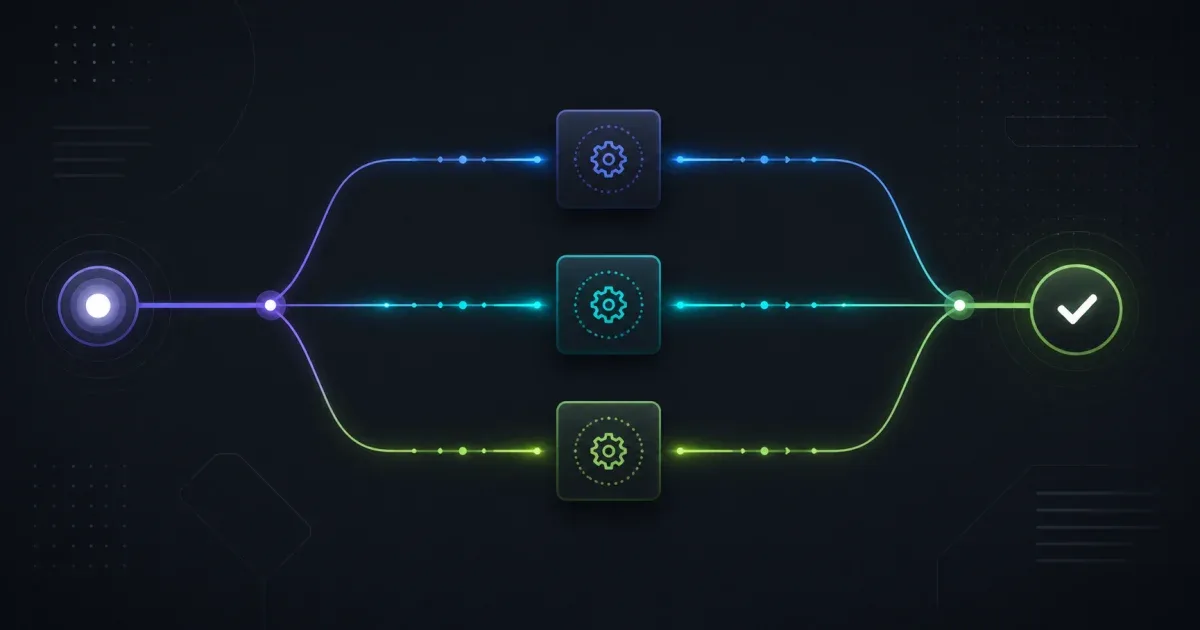
Use parallel when a self-contained group of GitHub Actions steps can start together and must all finish before the next step. Use background: true when a long-running step, such as a server or database, should stay active while later steps run; synchronize it with wait, wait-all, or cancel.
These workflow keywords give steps runner-managed concurrency, logs, and failure reporting. They are a clearer boundary than putting & in a shell script, where the shell can finish before the background process reports its exit status.
Choose between parallel and background
The two forms solve related but different timing problems:
| Need | Use | What happens next |
|---|---|---|
| Build several independent targets together | parallel | GitHub waits for the whole group automatically |
| Start a server or service for later steps | background: true | The job continues until an explicit wait or cancel |
| Wait for selected background steps | wait: [step-id, ...] | Outputs become available and failures surface |
| Wait for every active background step | wait-all: | All active background work must finish |
| Stop one long-running step | cancel: step-id | GitHub sends a termination signal and then enforces cleanup |
Each job can run at most 10 background steps concurrently. A parallel group uses the same limit because it is shorthand for background steps followed by a wait.
Run independent work with parallel
This is the compact form for independent build commands:
name: Build components
on: push:
jobs: build: runs-on: ubuntu-latest steps: - uses: actions/checkout@v6
- parallel: - name: Build frontend run: npm run build:frontend - name: Build backend run: npm run build:backend - name: Build documentation run: npm run build:docs
- name: Run integration tests run: npm testThe three build steps start concurrently, and the test step starts only after all three succeed. Keep the group independent: do not put a step in it that expects another parallel step to have already created a file, migrated a database, or reserved a port.
parallel does not create separate jobs or separate runners. The steps share the job’s working directory and environment, so simultaneous writes to the same output directory can still race. Give each command an isolated output path or use separate jobs when the work needs independent runners, permissions, or operating systems.
Keep a server alive with background and wait
For a test server, start it asynchronously and keep the ID so a later step can synchronize with it:
steps: - uses: actions/checkout@v6
- name: Start preview server id: preview run: npm run preview background: true
- name: Run browser tests run: npm run test:e2e
- name: Wait for preview server wait: previewwait performs no command of its own. It blocks until the referenced background step finishes, then makes that step’s outputs and environment changes available to subsequent steps. If the background process fails, the wait step fails too. For a real server that is expected to remain alive until the job ends, the test command should stop it or the workflow should use cancel in cleanup; a server that never exits will otherwise keep the wait pending.
When several services need to start together, use wait-all:
steps: - name: Start database id: database run: docker run --rm --name ci-db postgres:15 background: true
- name: Start cache id: cache run: docker run --rm --name ci-cache redis:7 background: true
- name: Run integration tests run: npm run test:integration
- name: Wait for services wait-all:Use a health check in the test setup if the service needs time to accept connections. Parallel execution starts processes together; it does not prove that a database is ready.
Wait for selected steps and inspect failures
Use a list when the next step depends on a subset of the background work:
steps: - name: Build frontend id: frontend run: npm run build:frontend background: true
- name: Build backend id: backend run: npm run build:backend background: true
- name: Run lint while builds run run: npm run lint
- name: Wait for both builds wait: [frontend, backend]
- name: Package release run: npm run packageDo not assume that a background step’s output is ready just because its process has started. Read outputs after the corresponding wait or wait-all. This matters when a step writes a generated path to $GITHUB_OUTPUT or updates the job environment.
For a long-running monitor or service, cancel it after the main task:
steps: - name: Start monitor id: monitor run: ./scripts/monitor.sh background: true
- name: Run the main task run: npm test
- name: Stop monitor cancel: monitorcancel sends a termination signal and gives the process a short chance to clean up before forcing it to stop. The cancel step always runs as a workflow control operation; design the monitored command so its logs and exit status remain useful.
Why shell backgrounding is a weaker fallback
This older pattern hides the process from the Actions step model:
npm run preview &npm testThe shell may report success from the foreground command while the preview process fails later. Cleanup also depends on custom PID handling, and the logs from the two processes are mixed. If the project must support an older runner without the new workflow syntax, use a small, tested process supervisor and explicit health checks; do not treat & as a replacement for workflow-managed synchronization.
The new keywords are step-level features. They are not a reason to move every command into one large job: use a matrix or separate jobs when each environment needs independent isolation, and use needs when jobs—not steps—have a dependency.
The reusable workflow secrets guide covers a different boundary: passing configuration between jobs and workflows. This article is about scheduling steps inside one job. If a parallel build also fails because the action runtime changed, see actions/checkout v5 and Node24.
Verify a parallel workflow safely
Before merging, check the workflow in a small branch or manual run:
- Start with two commands that write separate files and confirm they overlap in the logs.
- Make one background or parallel command exit non-zero and confirm the correct
waitor implicit group wait fails. - Make a background server fail before tests and confirm the failure is not hidden by a successful foreground command.
- Confirm generated outputs are not written to the same path concurrently.
- Confirm cleanup runs for servers, databases, and monitors.
- Keep step IDs unique and use
waitonly for steps markedbackground: true.
The practical rule is to make the dependency visible in YAML: parallel for independent work that ends together, background plus wait for a process that must remain available, and cancel for deliberate cleanup.
FAQ
How do I run GitHub Actions steps in parallel?
Put independent steps inside a parallel: group. GitHub runs the group concurrently and waits for every step before moving to the next step. Use separate jobs or a matrix when you need isolated runners instead.
What is the difference between background and parallel in GitHub Actions?
parallel is a self-contained group with an implicit wait. background: true starts one step asynchronously so you can interleave other work and later choose wait, wait-all, or cancel.
Can a background step pass outputs to the next step?
Only after a wait or wait-all that includes the background step. Before synchronization, its outputs and environment changes are not available to later steps.
How many GitHub Actions steps can run in parallel?
The current workflow syntax allows a maximum of 10 background steps concurrently in one job. A parallel group uses the same background-step limit; additional work is queued until a slot is available.
References:
GitHub Docs: Workflow syntax — background, wait, and parallel steps